Technology2 min read
What Is Facebook Pixel, and How Do You Use It?
Published by Samsiani

The term Facebook Pixel can sound confusing, suggesting a complicated piece of technology.
This post briefly explains what it is and how it is integrated into a website.
What is Facebook Pixel?
It is one of Facebook's main analytics tools, with a role broadly comparable to Google Analytics within Google's services. The pixel helps you define audiences and improve the effectiveness of advertising campaigns.
After adding a special code snippet to your website, you can:
- Measure conversions from your Facebook advertising campaigns, such as the number of people who buy after clicking an advertisement.
- Create audiences for Facebook advertising, including audiences based on your website's visitors.
- Optimise your campaign budget, for example by using automated bidding to reach people more likely to purchase from your website.
- These are only some of its uses. The tool offers a wide range of functions and is free to install.
How to install the pixel on a website
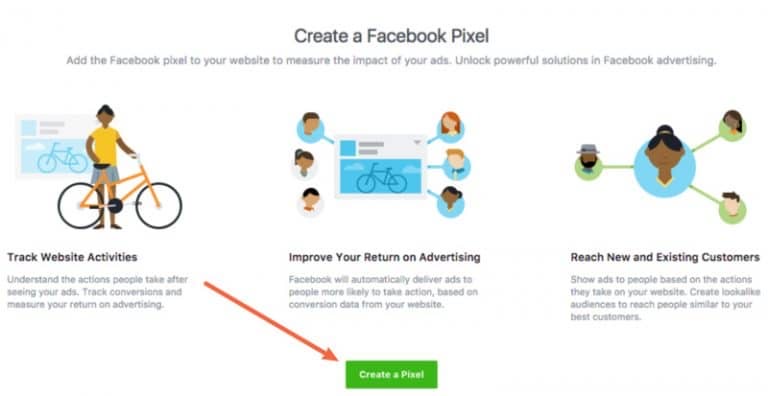
Step 1: Create a Facebook Pixel
To create your pixel, open the Pixels section in Facebook Events Manager (using this link). Then click Create a Pixel.
Step 2: Get the tracking code
After creating the pixel, find Set up Pixel and choose ‘Manually Install the Code Yourself’ (using this link).
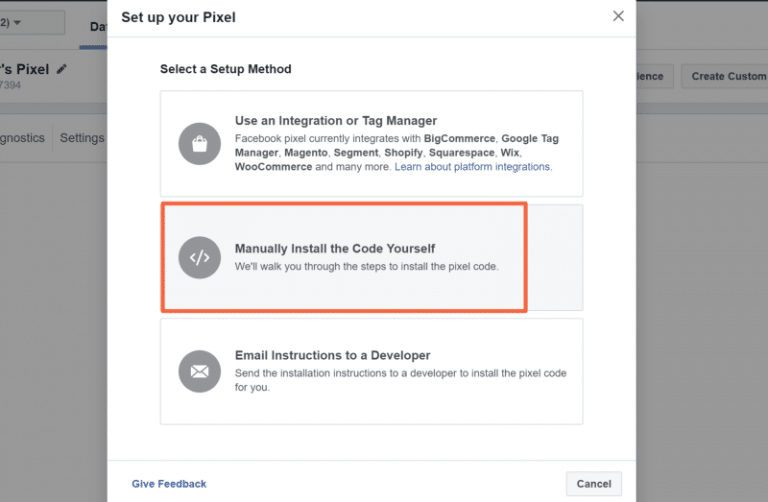
Copy and save the code shown on screen.
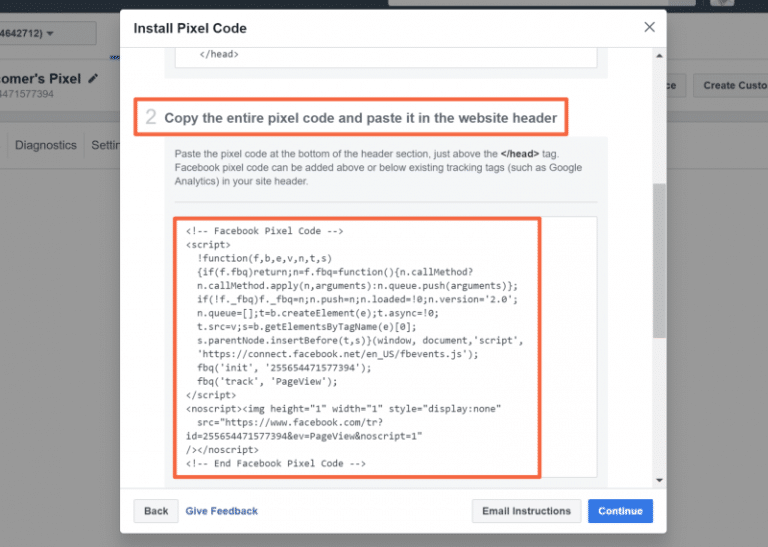
Step 3: Add the code to your website
Finally, insert the copied code immediately before the closing </head> tag.
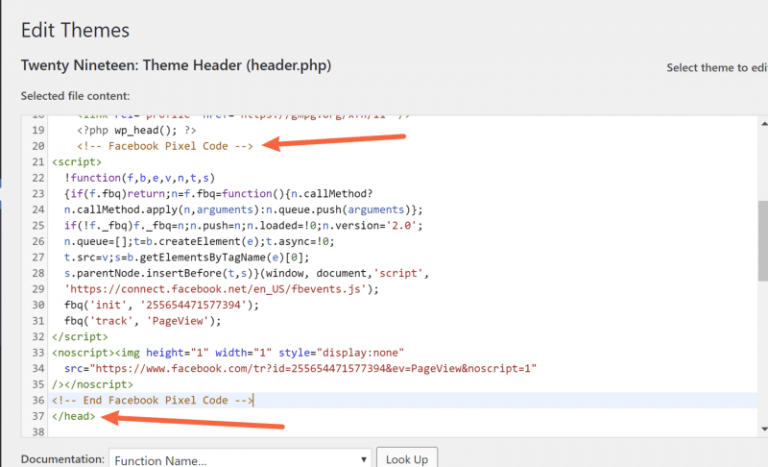
The Facebook Pixel is now integrated into your website. That is only the beginning, however. Further articles were planned to explain how to create the events you need and connect them to website content.