TipsUpdated 2 min read
Why a website change is missing: check the browser cache

The developer says the logo has changed, but you still see the old one. Reopening the page makes no difference. The browser may have a saved copy, yet the same word “cache” also describes separate server and CDN layers.
Begin with the exact address, the expected change and the time the new version was published. Without those details, apparently conflicting observations are difficult to compare.
Identify the possible cache layer
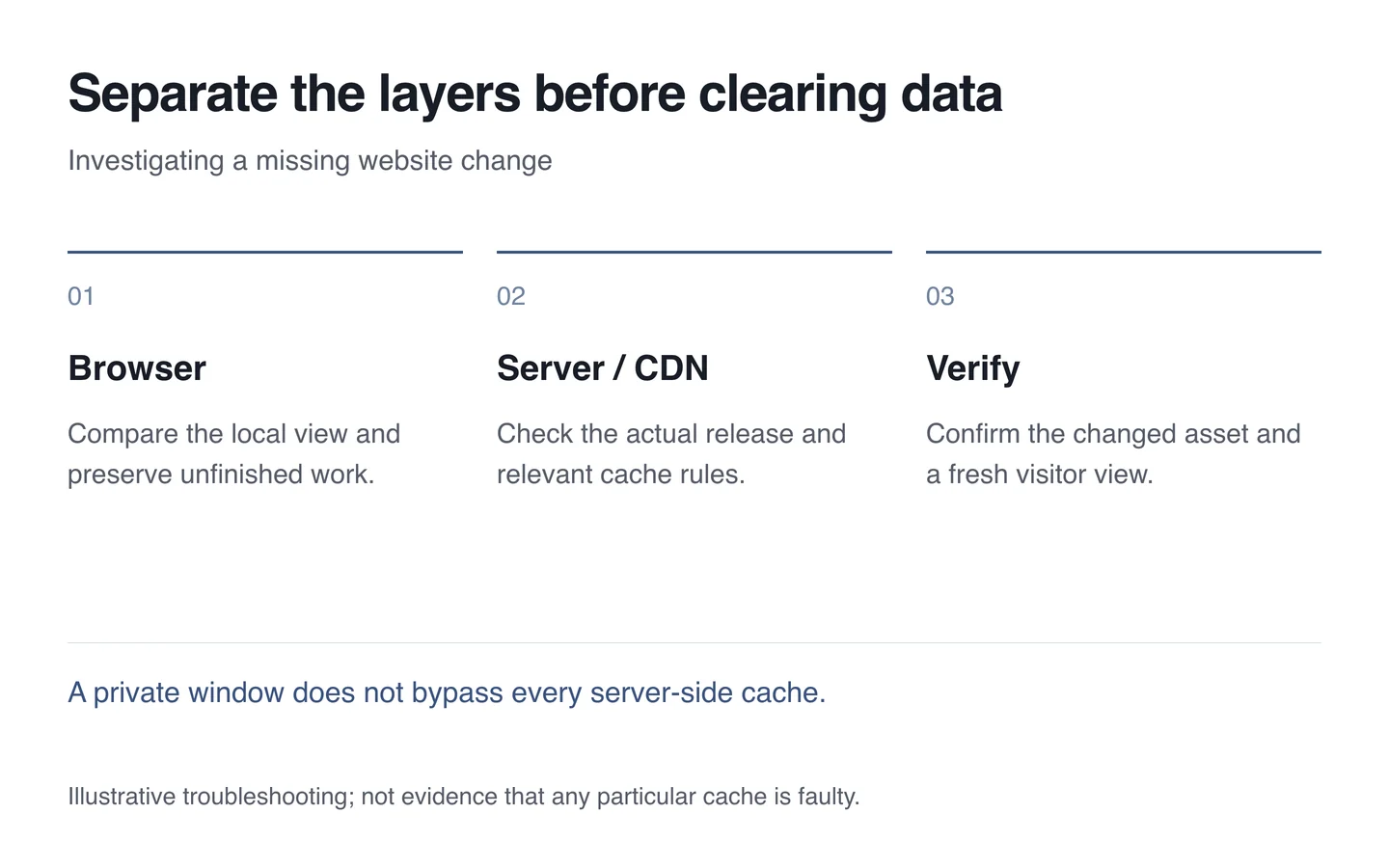
A browser can retain images, styles and page responses. A server may store generated content, while a CDN adds another layer in front. The 2014 HTTP caching specification describes storage and revalidation foundations; actual website behaviour depends on its configuration.
A private-window comparison can offer a clue, but it cannot remove a server-side cache. Seeing the old version on another device also does not identify the cause by itself. Record the environment and sign-in state alongside the result.

Verify the release before clearing everything
First confirm that the updated file was published to the correct environment. Compare the image or stylesheet URL with the earlier version. A developer can use a version identifier or changed filename to distinguish a new resource.
A forced browser refresh can help investigation, but visitors should not need to perform it repeatedly. If a fix appears only after manual clearing, release or caching rules still need attention.
Protect information that should be retained
Clearing cached files and deleting all website data are different actions. The latter can remove sign-in state or locally saved drafts. Preserve unfinished work and act only on the layer that needs intervention.
- Record the address and expected change.
- Compare normal and private windows under equivalent conditions.
- Confirm the released file and its version.
- Have the responsible technician clear the relevant cache if needed.
- Check the change through a fresh visit too.
Disabling caching permanently is not a good general fix: correctly stored resources improve speed. Technical support should make releases reliable while preserving useful caching.