Business6 min read
Website enquiries: from contact form to a recorded sale
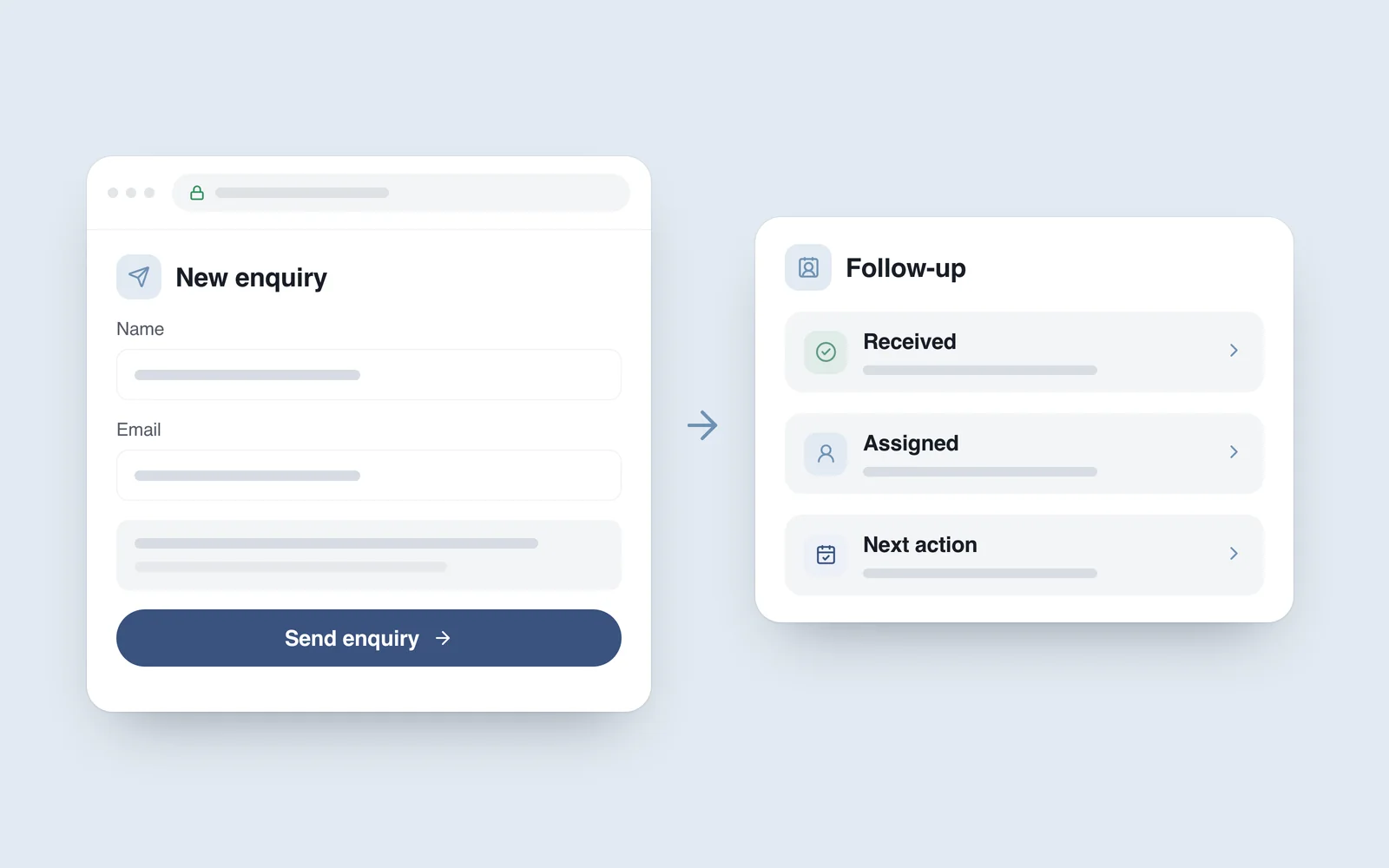
A visitor fills in your website form to ask for a quote. The message reaches a shared inbox. One colleague assumes another has replied; a few days later, it is buried under other email. The website appears to have done its job, yet the business has nothing to show for the enquiry.
Every website enquiry needs an owner, a clear status and a next action. That applies to a small service firm as much as to a supplier selling through a product catalogue and a consultation. This guide follows an enquiry from submission to a recorded sale, with practical places to introduce automation.
Agree what a useful enquiry looks like
A message is not automatically a sales opportunity. Some submissions are support questions, repeat messages or spam. A rising form-submission count cannot, on its own, tell you whether the website is helping the business.
Write down what you need to know before a conversation can move forward: the service someone needs, the area you would serve and their intended timing, for example. Ask only for information that changes your first decision. A short contact form rarely needs the full project specification.
Keep received enquiries, suitable opportunities, proposals and completed sales distinct. The team can then use the same definitions, and the report will stop presenting several different actions as one result.
Make receipt reliable before adding more automation
A click on Send does not prove that the business received anything. Show success only after the server has accepted the enquiry and stored it reliably or passed it to the agreed system. If that fails, explain what happened and give the visitor a practical way to continue.
- Give each enquiry a reference. Use it to find the record, recognise repeated submissions and investigate failures.
- Treat email as a notification, too. An inbox should not be your only record: where needed, retain the enquiry in a protected database or CRM.
- Plan for temporary outages. If the CRM is unavailable, an accepted enquiry still needs to survive. The integration may need a queue, retries and a failure alert to the responsible person.
- Handle repeat submissions. Refreshing a page or retrying a request should not quietly create two separate sales opportunities.
Agree these behaviours during website development. Looking at a finished form is not enough to establish whether the delivery process behind it works.
Give someone ownership of the next action
A CRM is a customer relationship management system: a shared place for correspondence, progress and planned follow-up. A small team may initially manage with a well-organised, access-controlled spreadsheet. A CRM becomes more useful when several people handle enquiries, conversations run over weeks or reminders become difficult to manage manually.
A helpful record includes five things: when the enquiry arrived, the service or product involved, its owner, its status and the next action date. Collect personal details only as needed. “In progress” tells a manager very little unless the record also says who will contact the prospect and when.
Set a first-response target that your team can meet. An automatic acknowledgement confirms receipt; it does not mean someone has considered the request. Promise customers a response window that reflects the actual service you can provide.

Measure the journey through to a sale
Google Analytics introduced dedicated lead acquisition and loss reports in July 2025. Its official release archive explains that the reports need the relevant events to populate them. Having a report available does not make your sales stages appear automatically.
Google's recommended events distinguish a generated enquiry (generate_lead), one meeting your qualification criteria (qualify_lead) and a lead becoming a customer (close_convert_lead). For the first, record successful receipt rather than a button click. Later stages need data from the sales process, with the appropriate integration and privacy controls.
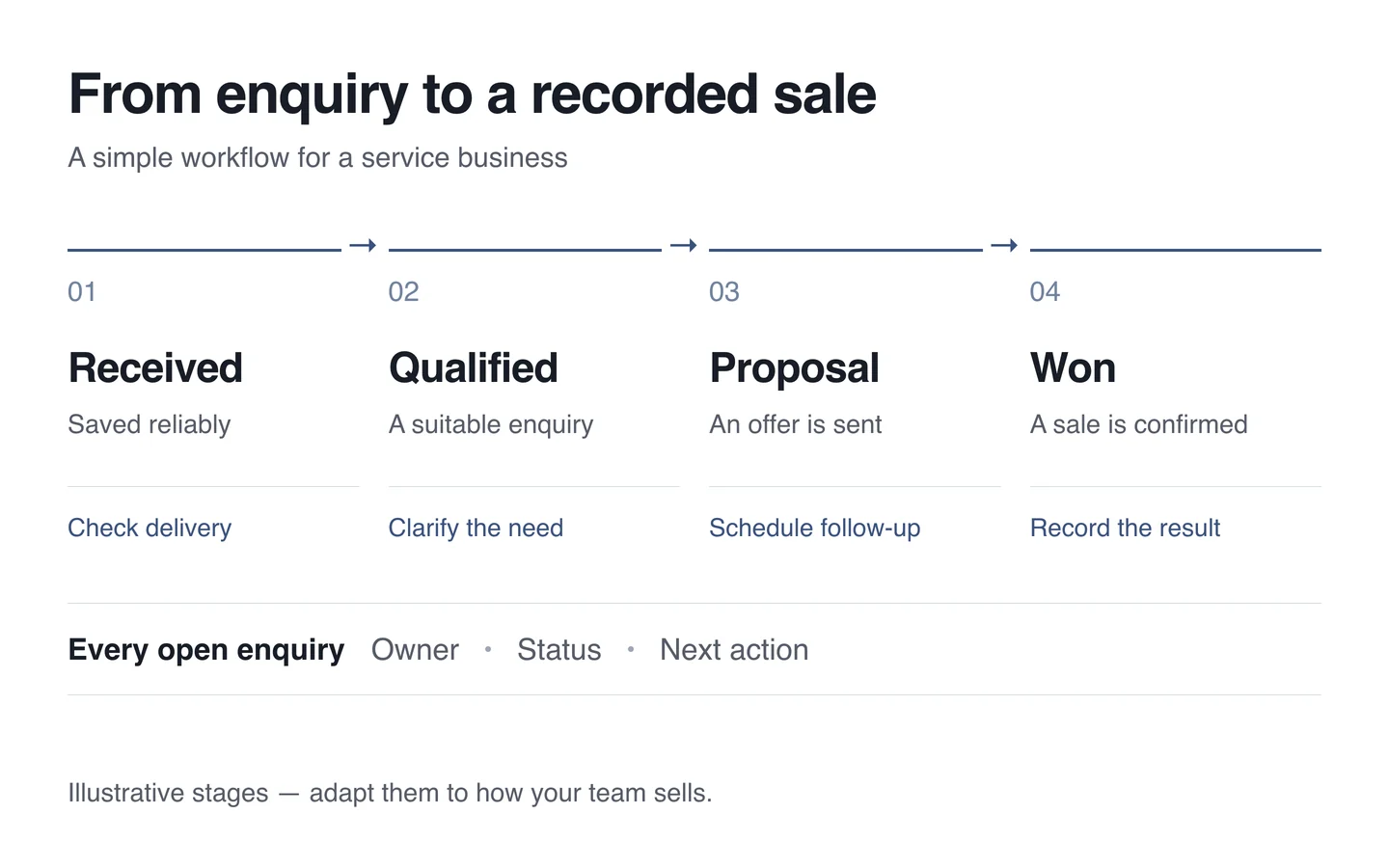
Start a simple report with received and qualified enquiries, time to first response, proposals sent and completed sales. Add unanswered records and reasons for losses. The useful finding may be that traffic is adequate, while slow replies or unclear proposals are holding the business back. Keep CRM enquiry counts distinct from unique-user counts in Analytics reports: one person may send more than one enquiry.
Calculate percentages for the same group of enquiries. In an illustrative example, 25 suitable opportunities out of 100 unique, valid enquiries received in a month gives a qualification rate of 25%. If five from that same group eventually become customers, the enquiry-to-sale rate is 5%. Keep open negotiations visible, and do not mix older enquiries that closed this month into the new group's results. These numbers explain the calculation; they are not performance targets or industry benchmarks.
Keep contact details in the protected system
Do not put a person's name, email address, phone number or message into ordinary analytics event parameters. Google's guidance highlights accidental disclosure through page URLs, titles and information entered into form fields.
Personal form data should also stay out of the page address. A service category or broad campaign source may help reporting; a customer's email address in a campaign tag does not belong there. Decide who needs access to CRM records and how long they should be retained. Align analytics collection and data use with your privacy and consent arrangements.
Automate repeatable work, with clear human decisions
Start with acknowledgements, routing to the right colleague, follow-up reminders and failure alerts. AI automation can help summarise an enquiry or draft a reply, but a responsible person should check prices, deadlines and promises before they reach a customer.
Before adding automation, walk through a complete cycle manually. Send a test enquiry from a phone, locate the record and its owner, update the status and check the report. Then test a failure: what happens when the mailbox or CRM cannot be reached?
A practical starting point for a small team
- Define a suitable enquiry and the information needed before the first conversation.
- Test the complete path from submission to a saved record, including failures and repeat attempts.
- Assign an owner, a realistic response target and a next action.
- Record sales stages separately, keeping personal data out of the general analytics report.
- Review unanswered enquiries and loss reasons regularly.
An existing website does not necessarily need rebuilding. The first useful change is often to connect its form, notifications and sales process properly. Tell us how your team receives and handles enquiries; that gives us a basis for deciding what needs integration and what can stay simple.